

Where can I find these settings?
The Bunny Stream library security settings can be found within the Bunny Dashboard. It is under Stream > Your Library > Security.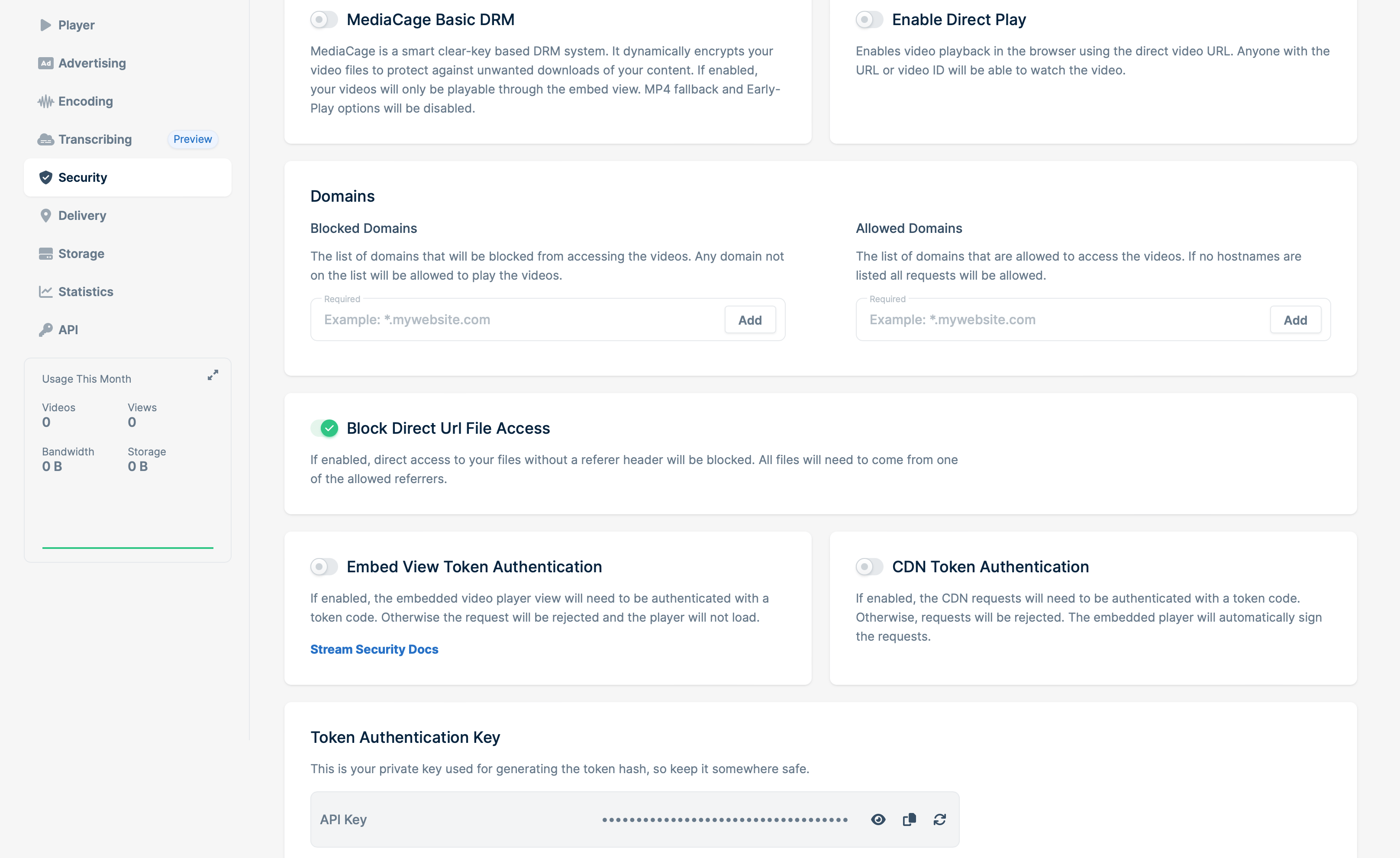
MediaCage DRM
MediaCage is a basic free DRM system designed to prevent attempts at downloading your video content when enabled. MediaCage is tightly integrated into Bunny.net to dynamically encrypt the video content. It was designed to operate as a device-agnostic system and does not require any special hardware or software support on the client. With the encryption, this then prevents downloads by third party software as MediaCage only allows content to be loaded through the embed player itself.Domains
The Domains section lets you control which websites can access your Stream videos:- Blocked domains lists domains that should not be allowed to play your videos. If a domain is not on this list, it can still access the videos unless another security setting blocks it.
- Allowed domains lists the only domains that are allowed to access your videos. If you leave this list empty, the allowlist does not restrict playback, but Blocked domains and other security settings still apply.
*.gstatic.com to the allowed list. Chromecast devices and TVs use this Google domain when opening the casting page. Without it, the device may not be able to connect to the CDN and request the playlist or video segment files, which can prevent the video from playing on the TV even though it works in a browser.
Seeing a 403 Forbidden on playback? Domain entries must be added without a scheme — use
domain.com or www.domain.com, not https://domain.com. The entry must exactly match the embedding domain (including the www. prefix when applicable). Combining Block Direct URL File Access with an empty Allowed domains list will also produce a 403 on previews, thumbnails, and direct links — either add your domain to Allowed domains or disable Block Direct URL File Access.Token Authentication
There are two different types of Token Authentication offered for Stream, we can protect the embed view as well as the actual video files itself. This all depends on how you intend to actually show the video. We’ve got documentation this here, but you’ll need to use the path style tokens when protecting a HLS stream to ensure we protect the TS files too.If Token Authentication is enabled and you get a 403 Forbidden, the most common causes are: the
expires timestamp is in the past, the token was generated with the wrong key/video ID/expiration combination, or the request is missing the token and expires query parameters entirely. For HLS, remember to use path-style tokens so the .ts segments are signed alongside the playlist.